LedgerTB
Double-entry bookkeeping software built by a practicing CPA around the workflow you actually run: import the bank activity, post adjustments on a trial balance worksheet, sign off account by account, and export a close package you can hand to a reviewer. Free and open source (MIT), with no account, no subscription, and no telemetry.
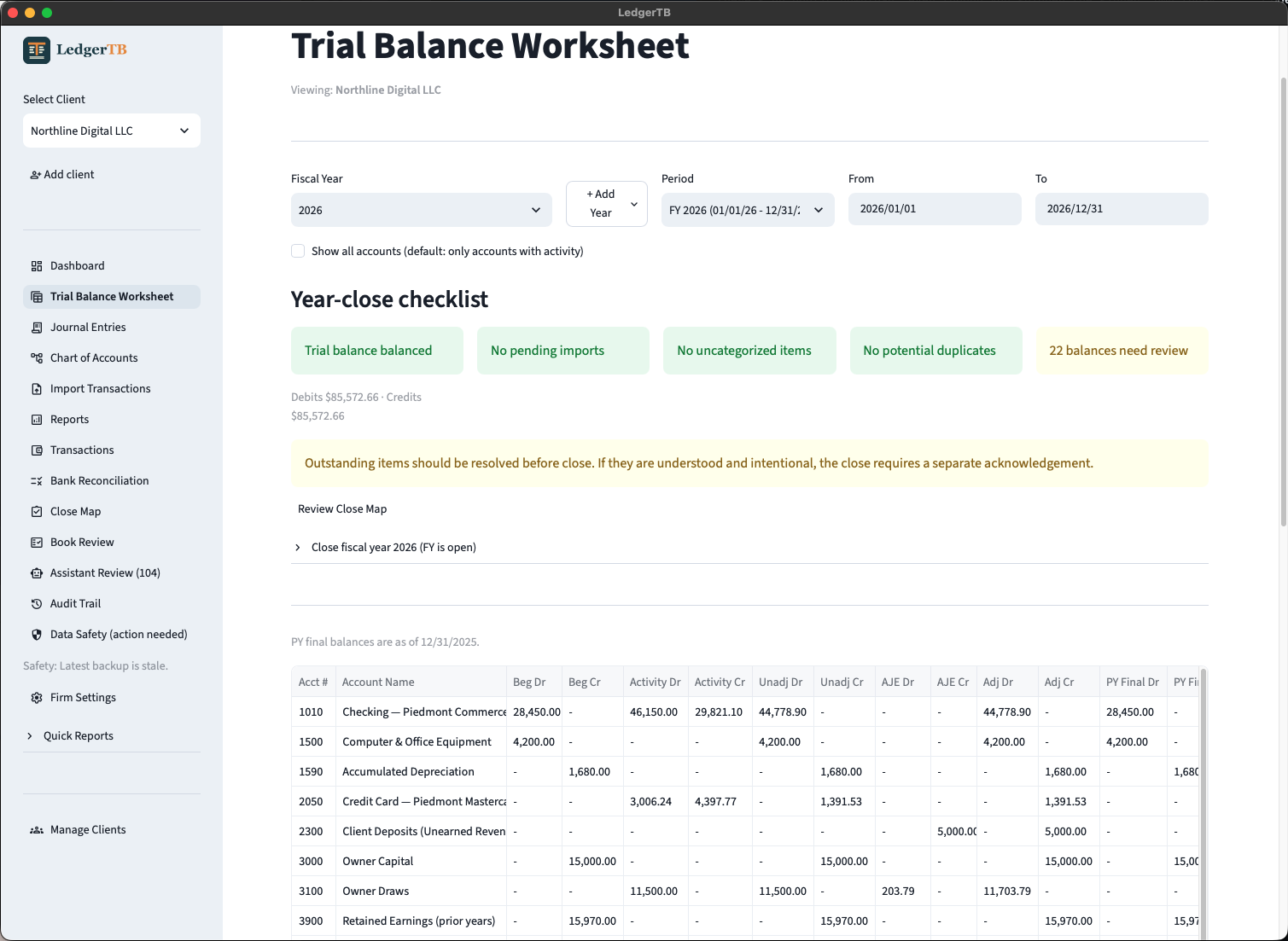
The trial balance worksheet, with the year-close checklist
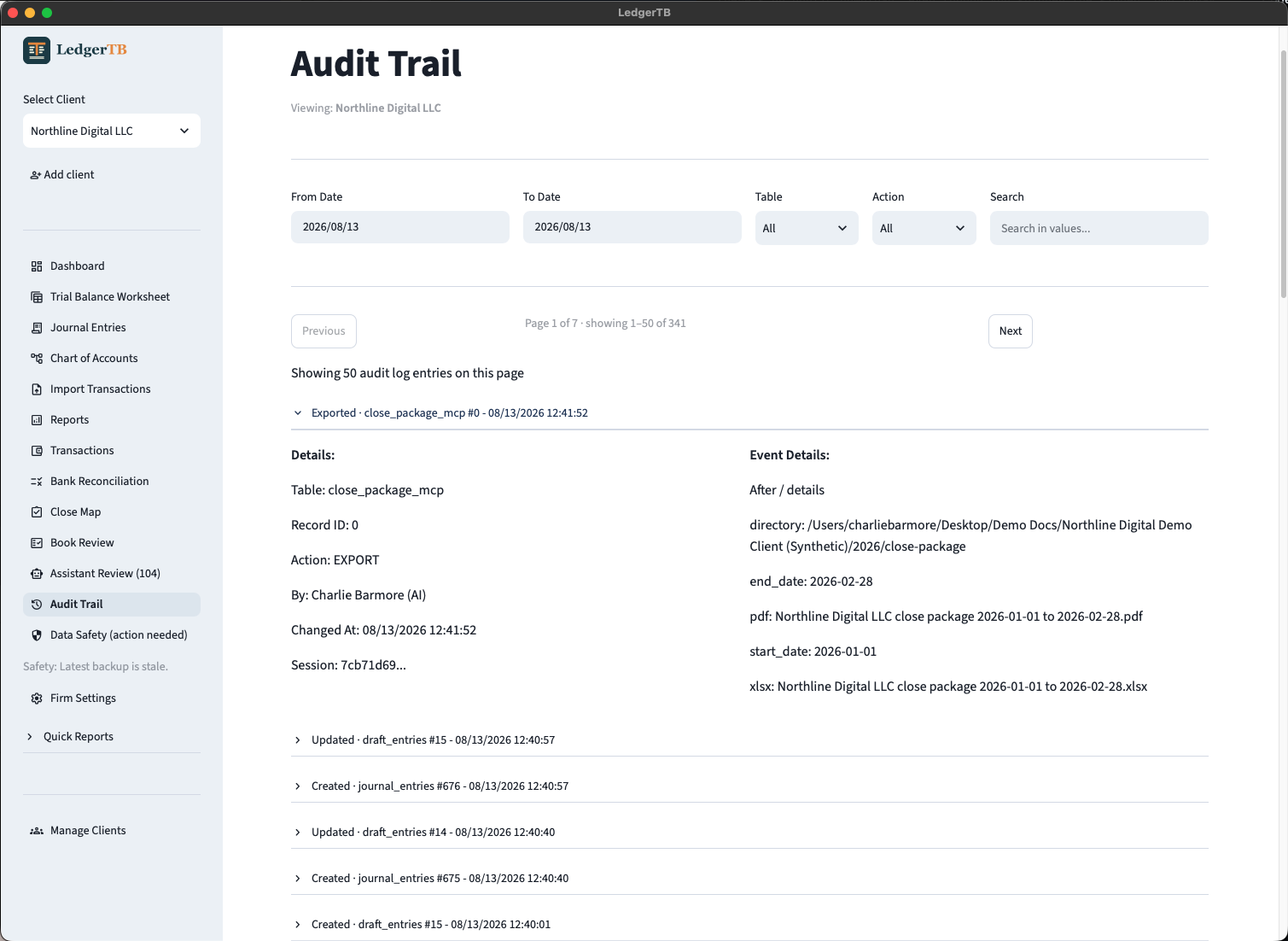
The audit trail, with AI actions stamped as AI
Charlie's walkthrough of the app. If the player does not load, watch it on Tella.
Your books never leave your machine.
Books are encrypted local files (SQLCipher at rest) with a full audit trail. The AI assist is optional and runs on your own Anthropic API key: it works at the access level you grant it (read, propose, or post), every AI action is stamped in the audit trail, and categorization only ever suggests. You review and post.
The download buttons always fetch the newest release. The app is self-contained: nothing else to install.
Installing it
- Mac (Apple Silicon, M1 or later). Unzip the download and drag LedgerTB to Applications. The build is signed and notarized by Apple, so it opens with no warnings.
- Windows (x64). Run the installer. The Windows build is not yet code-signed, so SmartScreen shows a "Windows protected your PC" warning the first time: click "More info", then "Run anyway". It installs under your own user profile and never asks for an administrator password, so it works on a locked-down firm laptop.
What it does
- Per-client books, with chart-of-accounts templates by entity type and industry
- CSV bank imports with duplicate detection and import verification
- Journal entries with debit-credit validation: unbalanced entries do not post
- AI categorization that only suggests; you review and post
- A "Book Review" integrity sweep before close
- The "Close Map": lead-sheet review and account-by-account signoff
- Trial balance, income statement, balance sheet, general ledger, TB worksheet, and bank rec reports
- An exportable close package (PDF and Excel) with client co-branding
- Firm mode for book files on a shared drive
- An MCP server, so an AI agent can work the books at the read, propose, or post level you set, enforced by the engine
Who built it, and why it is here
Built by Charlie Barmore, CPA, one of the Lab's partners, under his software studio Ledger Labs, and shared with this community as a working example of what one accountant can build with AI. It practices the same rule we teach in the Lab: AI drafts, the professional decides.
More at ledgertb.com, and the full source is on GitHub. Questions, bugs, and feature requests are welcome in the community or as GitHub issues.
Free and open source under the MIT license, provided as-is. Like everything here, the licensed practitioner reviews, decides, and signs; the software keeps the records.